Codetown
Codetown ::: a software developer's community
Apple Watch paired with iPhone

I recently read an article describing how to pair an Apple Watch with an iPhone. Looks great. You can leave your iPhone someplace and then use your Apple Watch as a phone. I don’t know anything about Apple watches, but they have them at Costco and of course at the Apple Store. What’s the latest, best one to get And Ann what do you know about this idea?
https://youtu.be/bCKxZ9PUofI?is=oJWZCf8EehitjhgM
ChatGPT: The idea is real, and for a lot of people it’s one of the best reasons to own an Apple Watch.
Here’s how it works:
• Your Apple Watch pairs with your iPhone during setup.
• If you buy a GPS + Cellular model and activate a cellular plan (typically about $10/month through your carrier), you can leave your iPhone at home and still:
• Make and receive phone calls
• Send and receive texts
• Use Siri
• Stream music and podcasts
• Use Apple Maps
• Pay with Apple Pay
• Call emergency services
Without the cellular model, the watch still works away from your iPhone if it’s connected to Wi-Fi, but its capabilities are more limited.
The best Apple Watch right now
There are three main choices:
1. Apple Watch Ultra 2 – Best overall
• Biggest battery (typically about 2 days)
• Brightest display
• Extremely durable
• Best GPS
• Excellent if you’re outdoors a lot
• Most expensive (around $800)
For most people, it’s more watch than they need.
2. Apple Watch Series 10 – Best choice for most people
• Thin and comfortable
• Large, bright screen
• Fast charging
• Great health features
• Available in GPS or GPS + Cellular
This is the model I’d recommend for the vast majority of buyers.
3. Apple Watch SE (2nd generation) – Best value
• Less expensive
• Does calls, texts, fitness tracking
• Available with cellular
• Doesn’t include some of the newest health sensors
About leaving your iPhone behind
People often use their watch when:
• Going for a walk
• Playing golf
• Running errands
• Going to the gym
• Walking the dog
You simply wear the watch and leave the phone at home. As long as you have the cellular version with an active plan, you’ll still receive calls and texts on your watch.
Health features
Even if you don’t consider yourself a “fitness person,” Apple Watches have some very useful features:
• Fall detection
• Emergency SOS
• Heart rate monitoring
• ECG (Series 10 and Ultra 2)
• Sleep tracking
• Activity reminders
• Medication reminders
These features are one reason many people buy one.
Buying at Costco vs. Apple
Costco
• Often has slightly lower prices or bundles.
• Excellent return policy and warranty support through Costco’s membership benefits.
Apple Store
• Staff can help you choose the right size and band.
• They’ll pair it with your iPhone and show you how to use it.
• Easy if you’re new to Apple Watch.
My recommendation
Since you mentioned you’re new to Apple Watches and are interested in using it as a phone, I’d suggest:
• Apple Watch Series 10
• GPS + Cellular model
• 45 or 46 mm size (depending on what fits your wrist comfortably)
The extra cost of the cellular version is worthwhile if your goal is to leave your iPhone behind.
One question that will help narrow it down: Which iPhone do you have? The Apple Watch requires a relatively recent iPhone running a current version of iOS, so I’d like to make sure your phone is compatible before recommending a specific model.
Comment
Happy 10th year, JCertif!
Notes
Welcome to Codetown!
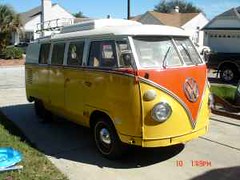 Codetown is a social network. It's got blogs, forums, groups, personal pages and more! You might think of Codetown as a funky camper van with lots of compartments for your stuff and a great multimedia system, too! Best of all, Codetown has room for all of your friends.
Created by Michael Levin Dec 18, 2008 at 6:56pm. Last updated by Michael Levin May 4, 2018.
Looking for Jobs or Staff?
Check out the Codetown Jobs group.
InfoQ Reading List
AWS Capacity Largely Sold Out Through 2027, With On Demand Headroom Reserved

Amazon CEO Andy Jassy says AWS’s large committed cloud capacity is largely sold out through 2027, with part of 2028 already allocated, while the company continues to reserve headroom for On Demand, EC2 and Bedrock. Practitioners discussing the remarks report difficulty obtaining On Demand capacity for ordinary EC2 instances, and similar constraints at other providers.
By Steef-Jan WiggersFile Mover Express: AWS Releases Open-Source Tool for S3 File Transfers
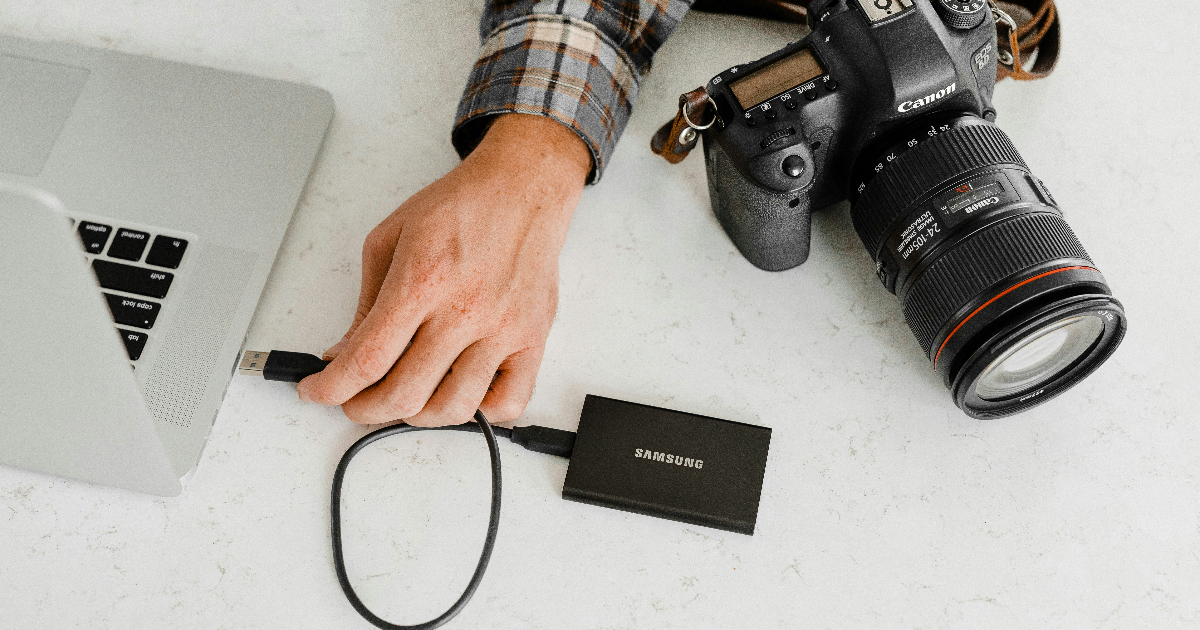
AWS has recently released File Mover Express, an open-source application under the Apache 2.0 license for transferring large files between local systems and Amazon S3. Available for macOS, Windows, and Linux, it supports parallel transfers, automatic performance tuning, retries, pause and resume, and file integrity verification.
By Renato LosioCloudflare’s Post-Quantum GeoKey Manager Enters Closed Beta Without Attribute-Based Encryption

Cloudflare has moved a post-quantum rebuild of GeoKey Manager into closed beta, guarding geo-fenced keys with hybrid ML-KEM-768 and X25519 instead of the attribute-based encryption used since 2022. Keys live only in kernel memory on verified regional servers, and any failed check rejects the request, a fail-closed choice practitioners ask could cause a regional outage. GA is planned for Q1 2027.
By Steef-Jan WiggersOpenBSD 8.0 Brings Expanded Hardware Support, Security Enhancements, and Virtualization Improvements
OpenBSD 8.0 is a substantial upgrade bringing broader hardware compatibility, enhanced security, an expanded virtual address space, and support for modern architectures, including Intel Arc A-Series graphics support, ARM64 hibernation, RISC-V improvements, and enhanced virtual machine support.
By Sergio De SimoneSpring News Roundup: First Release Candidates of Boot, Framework, Data, Security, Modulith, AI
There was a flurry of activity during the week of October 19th, 2026, highlighting: first release candidates of: Spring Boot, Spring Framework, Spring Data, Spring Cloud, Spring Security, Spring for GraphQL, Spring Session, Spring Integration, Spring HATEOS, Spring Modulith, Spring REST Docs, Spring AI, Spring Batch, Spring AMQP, Spring for Apache Kafka, Spring LDAP and Spring Web Services.
By Michael Redlich
© 2026 Created by Michael Levin.
Powered by


You need to be a member of Codetown to add comments!
Join Codetown